
Installation
from the ZIP to a working builder.
This page takes you from the downloaded files to a working builder. Allow about 20 minutes.
01Requirements
- Node.js 22.12 or newer with npm. Check with
node -v. Get it from nodejs.org or your system's package manager. - A machine to run it on. A Linux VPS (Ubuntu, Debian or similar) is the usual choice. Any machine that runs Node.js works, including a Mac. On Windows, use WSL (see below).
- About 1 GB of memory and a few GB of disk for the database and images.
- For production: a domain name and HTTPS in front of Kiln (see Hosting).
Outside services (AI provider, Stripe, Cloudflare, Resend, Pexels) are optional and each bills your own account for what you use; none is included in the price.
Kiln needs no separate database server. It creates its SQLite files itself.
The commands on this page are for a Linux or macOS terminal. On Windows, use WSL (Windows Subsystem for Linux) with Ubuntu, install Node.js inside it and type the commands there. Native Windows (without WSL) is not supported.
021. Install the dependencies
Unpack the ZIP, open a terminal in the folder that contains package.json, and run:
npm ciThis installs the exact package versions from package-lock.json. better-sqlite3 is a native module: on most systems a ready-made binary is downloaded. If the install fails with a compiler error, install the build tools (sudo apt install python3 make g++ on Debian/Ubuntu) and run npm ci again.
032. Create the configuration file
cp .env.example .env
openssl rand -hex 32
Open .env in a text editor and paste the 64-character output of openssl rand -hex 32 after ADMIN_SECRET_KEY=. This key encrypts every API key you later save in the console.
If ADMIN_SECRET_KEY is missing or not 64 hex characters, Kiln still starts. It then generates a key, saves it in data/.admin-secret-key and prints a warning on every start. Copy that key into .env and back it up.
The other values in .env are optional. Everything else is set later in the console.
| Variable | Default | What it does |
|---|---|---|
ADMIN_SECRET_KEY | generated | 64 hex characters. Encrypts the saved API keys. |
PORT | 8787 | The port Kiln listens on. |
HOST | 0.0.0.0 | The address Kiln listens on. Use 127.0.0.1 when a reverse proxy runs on the same machine. |
DATA_DIR | data | Folder for the databases and images, relative to the project folder. |
KILN_PUBLIC_URL | empty | The https address of the builder. Locks the console's Public URL field. Also turns on the Secure cookie flag. |
KILN_SITES_DOMAIN | empty | Locks the console's Domain for published sites field. |
TRUST_PROXY_HOPS | 0 | Number of reverse proxies in front of Kiln. Set 1 behind Caddy or nginx. |
COOKIE_SECURE | off | 1 forces the Secure flag on builder sign-in cookies. |
ANTHROPIC_API_KEY, OPENAI_API_KEY, OPENROUTER_API_KEY, STRIPE_SECRET_KEY, STRIPE_WEBHOOK_SECRET, CLOUDFLARE_API_TOKEN, RESEND_API_KEY, PEXELS_API_KEY | empty | Optional. A key set here is used instead of the console field, and the field shows as locked. |
KILN_DEMO, KILN_DEMO_PASSWORD, ADMIN_DEMO_PASSWORD | empty | Only for a public read-only demo. Never set them on a real install (see Security). |
043. Build
npm run buildThis compiles the server into dist/ and the builder app into web/dist/. Run it again after every update.
054. Start
npm startnpm start runs node dist/src/server/index.js. You see a line like this:
[kiln] 1.1.0 on http://localhost:8787 builder: /app console: /adminOn the very first start the log also prints a one-time setup code for the console, for example K7QM-2XRP-9DWA-HT4N. Copy it. It is shown only in the log.
Prefer not to read logs (for example on a platform that hides them)? Set ADMIN_SETUP_TOKEN in .env to a secret of at least 24 characters (openssl rand -hex 24) before the first start. No code is printed then, and the console asks for that secret instead.
Check it from a second terminal: curl http://localhost:8787/healthz answers {"ok":true,"version":"1.1.0"}.
065. Create your console account
- Open
http://<your server>:8787/admin(or your https address once the proxy is set up). - Enter the setup code, your e-mail and a password. This creates the owner of the console.
- Turn on two-factor sign-in under your account. It is strongly recommended.
Lost the code before you used it? Restart Kiln. Each start before the owner exists prints a new code, and any printed code works until the owner is created.
076. First settings
In the console:
- Hosting → Public URL of this server: the https address of the builder, e.g.
https://build.your-agency.example. Forms, review links, invite links and Stripe use it. The Public URL is https check stays red until it is set. - Brand: product name, accent colour, logo, support e-mail.
- Integrations: add an AI key if you have one. Without one, sites are built as drafts without AI.
- E-mail: a Resend key and a sender, if you want invite, review and form e-mails.
087. Invite yourself to the builder
The console account and the builder account are separate.
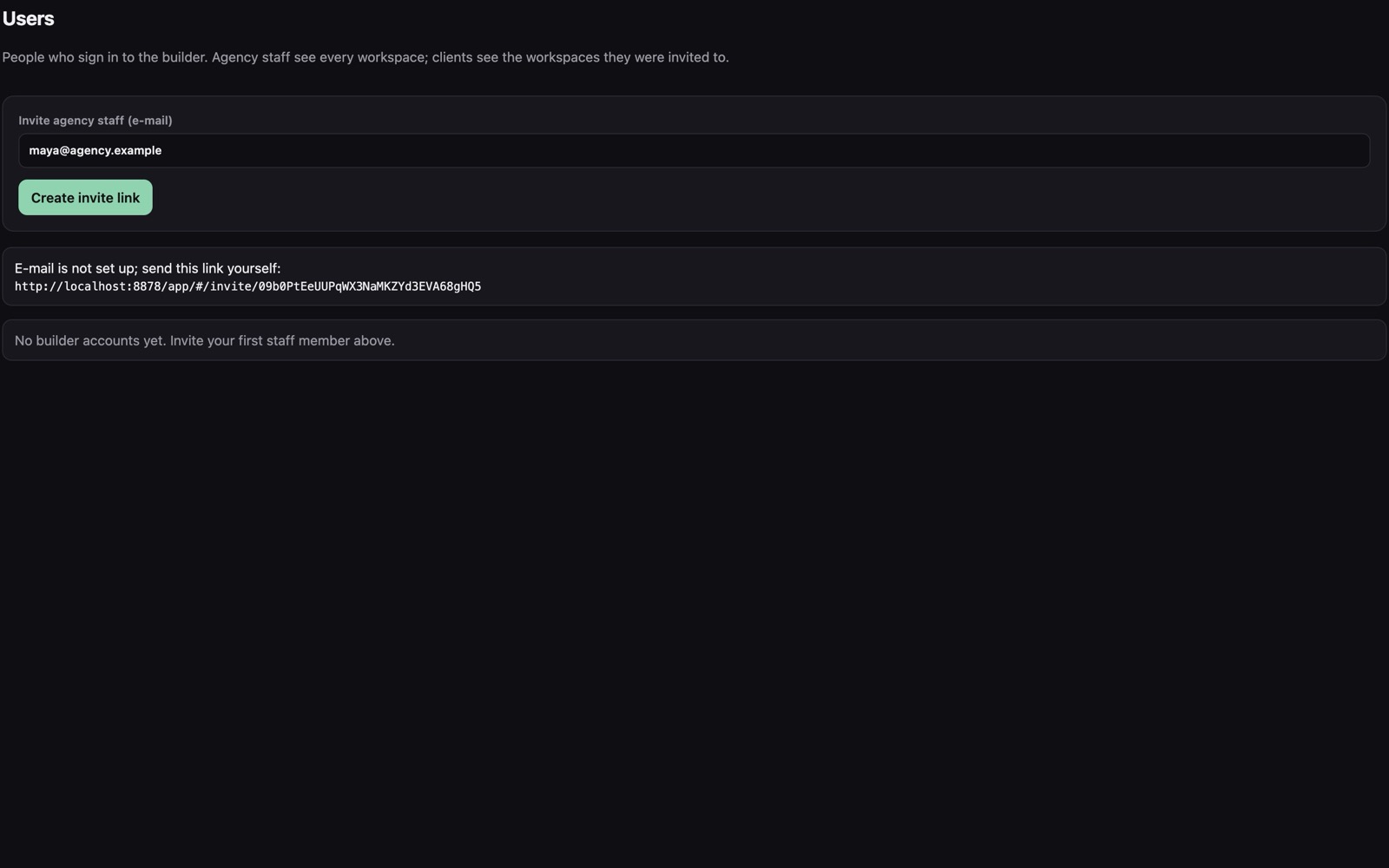
- Console → Users → Invite agency staff (e-mail) → enter your e-mail → Create invite link.
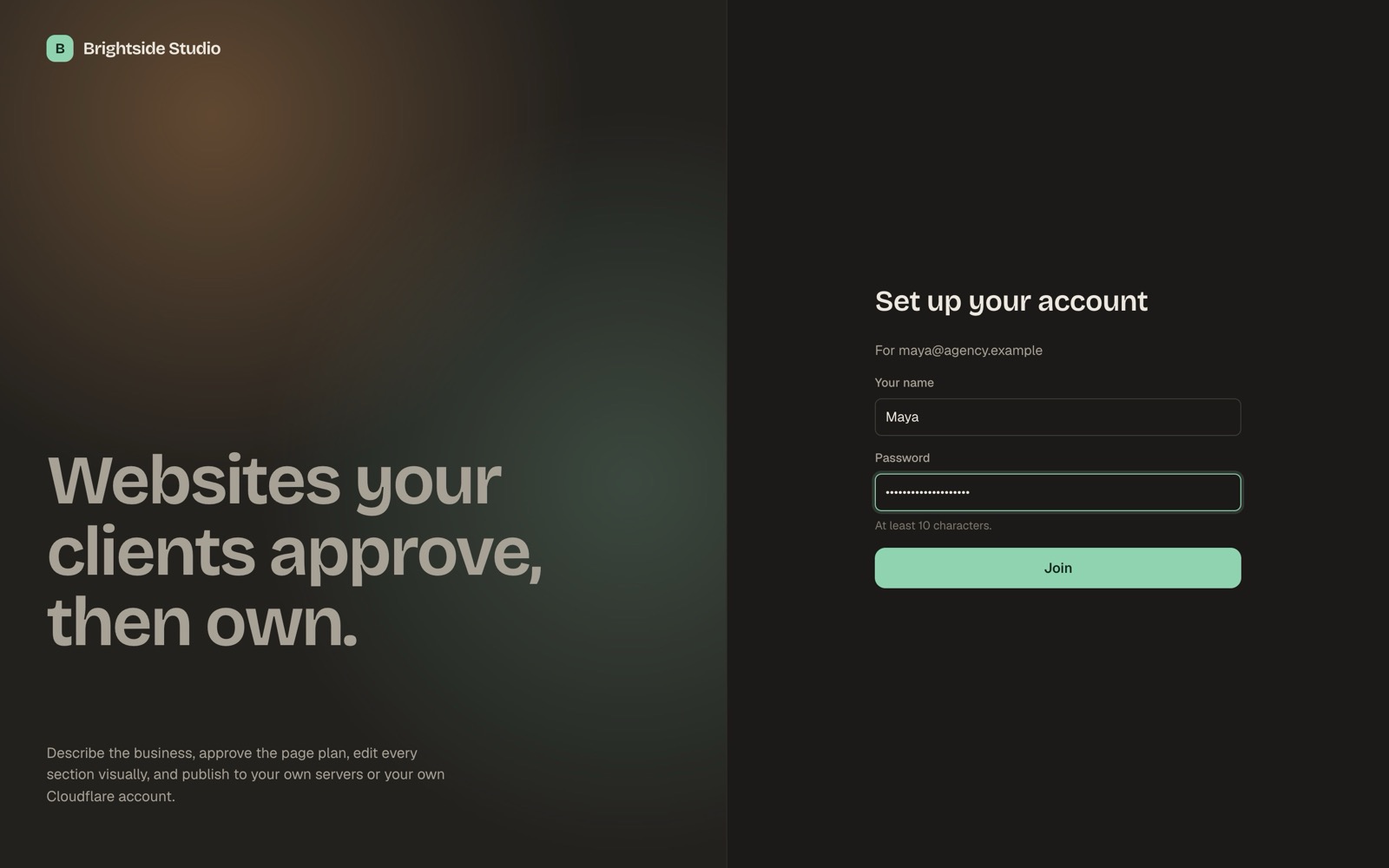
- Open the link it shows (it is also e-mailed if e-mail is set up). It is valid for 7 days.
- Choose a password (at least 10 characters). You are now signed in at
/appas agency staff. - Create a workspace for your first client and a site. See Using the builder.
09Docker instead of Node.js
A Dockerfile is included. It builds everything and runs as the unprivileged node user.
docker build -t kiln .
docker run -d --name kiln --restart unless-stopped \
  -p 8787:8787 -v kiln-data:/app/data --env-file .env kiln
docker logs kiln          # shows the one-time setup code
The kiln-data volume holds the databases and images. Keep it when you replace the container.
10Keeping Kiln running
npm start stops when you close the terminal. On a server, use a process manager.
systemd (most Linux servers)
Save as /etc/systemd/system/kiln.service, adjusting the user and folder:
[Unit]
Description=Kiln website builder
After=network.target

[Service]
Type=simple
User=kiln
WorkingDirectory=/opt/kiln
ExecStart=/usr/bin/node dist/src/server/index.js
Restart=on-failure
Environment=NODE_ENV=production

[Install]
WantedBy=multi-user.target
sudo systemctl daemon-reload
sudo systemctl enable --now kiln
journalctl -u kiln -f # the log, including the setup codeKiln reads .env from its own folder, so the unit needs no EnvironmentFile. Check the Node path with which node. The user must be able to write to the data/ folder.
PM2
npm install -g pm2
pm2 start dist/src/server/index.js --name kiln
pm2 save && pm2 startup    # start again after a reboot
pm2 logs kiln
Run only one Kiln process per data folder. Rate limits are kept in memory per process.
11Windows
Use WSL (Windows Subsystem for Linux) with Ubuntu, install Node.js inside it and follow the Linux steps. Native Windows (without WSL) is not supported.
12Backups
Everything Kiln stores is in the data/ folder:
| File | Contents |
|---|---|
kiln.sqlite | Builder accounts, workspaces, sites, versions, form messages, plans, credits, payments. |
admin.sqlite | The console: settings, encrypted API keys, console team, audit log. |
media/ | Every uploaded, imported or generated image. |
.admin-secret-key | Only if you did not set ADMIN_SECRET_KEY. |
The databases run in WAL mode, so -wal and -shm files can sit next to them. The safe way to back up:
sudo systemctl stop kiln
tar czf kiln-backup-$(date +%F).tar.gz data .env
sudo systemctl start kiln
Keep a copy of ADMIN_SECRET_KEY apart from the data, for example in a password manager.
If you lose ADMIN_SECRET_KEY
The saved API keys (AI, Stripe, Cloudflare, Resend, Pexels, webhook secrets) cannot be decrypted without it. Sites, accounts and settings are not encrypted and stay intact. To recover:
- Put a new key in
.env(openssl rand -hex 32) and restart. - In the console, open Integrations and enter every key again. Use Test on each one.
- Enter the Stripe webhook signing secret again under Integrations.