
AI
providers, credits, images and the copy rules.
Kiln uses an AI model to plan sites, write pages, rewrite sections, change a page from a chat request, draft blog posts and translate. You choose the provider and bring the key. Every AI call is billed by the provider to your own account. Kiln adds no fee of its own and does not route calls through any other server.
01Overview
Without a key, Kiln still works: sites are built as structured drafts from the brief (see the end of this page).
02Providers and models
Set them in the console under AI, and put the key under Integrations.
| Provider (AI → Provider) | Key (Integrations) | Model (AI → Model id) |
|---|---|---|
| Anthropic Claude (default) | Anthropic API key: console.anthropic.com → API keys | claude-opus-5-5 (default, best), claude-sonnet-5-5 (faster, cheaper), claude-haiku-5-5 (cheapest) |
| OpenAI | OpenAI API key: platform.openai.com → API keys | Required: replace the Claude default with a model id from OpenAI's model list. |
| OpenRouter (any model) | OpenRouter API key: openrouter.ai → Keys | Required: replace the Claude default with a model id from OpenRouter's list. |
| Any OpenAI-compatible endpoint | API key for the OpenAI-compatible endpoint (empty for a local Ollama) | Required: replace the Claude default with the model id the endpoint expects. |
Kiln asks the model for answers in a fixed JSON structure (structured output). For OpenAI, OpenRouter and other endpoints, pick a model that supports JSON-schema output (OpenAI calls it "structured outputs"). A model without it fails with a provider error or "The model returned text that is not valid JSON. Retry."
With the Anthropic provider, a model id that does not start with claude- is ignored and the default claude-opus-5-5 is used.
You can also set keys in .env (ANTHROPIC_API_KEY, OPENAI_API_KEY, OPENROUTER_API_KEY, CUSTOM_AI_API_KEY); the console field is then locked.
Any OpenAI-compatible endpoint
Choose AI → Provider → Any OpenAI-compatible endpoint (Gemini, Groq, Mistral, Ollama…) and set AI → Endpoint URL to the provider's OpenAI-compatible base address. Kiln calls <Endpoint URL>/chat/completions. Examples:
| Provider | Endpoint URL | Key |
|---|---|---|
| Google Gemini | https://generativelanguage.googleapis.com/v1beta/openai | Gemini API key |
| Groq | https://api.groq.com/openai/v1 | Groq API key |
| Mistral | https://api.mistral.ai/v1 | Mistral API key |
| Ollama on the same server | http://localhost:11434/v1 | none |
Put the key in Integrations → API key for the OpenAI-compatible endpoint (or CUSTOM_AI_API_KEY in .env). With an endpoint URL and no key, Kiln sends requests without a key, which is what a local Ollama expects. Replace the default model id (claude-opus-5-5) with one the endpoint serves, and check that the model supports JSON-schema output; small local models often do not, and then fail with "The model returned text that is not valid JSON. Retry." This provider has no Test button; generate a test page instead.
Testing the key
Integrations → the key → Test. For Anthropic this sends one tiny request with your model and answers key works with <model>. For OpenAI and OpenRouter it checks that the key is accepted. The status check AI key works shows whether a key is set for the selected provider and, for OpenAI and OpenRouter, whether a model id is set. For an OpenAI-compatible endpoint it only checks that the endpoint URL is set.
Effort (Claude only)
AI → Effort: Low (fastest, cheapest), Medium (default), High (most thorough). Higher effort means the model thinks more before answering, which costs more tokens. Medium is a good balance for website copy.
Every AI call is billed by the provider to your own account, per token. Kiln adds no fee. A workspace that brings its own key pays its own text AI usage. See Costs.
03How a site is generated
Generation is staged, so nobody pays for pages they did not want.
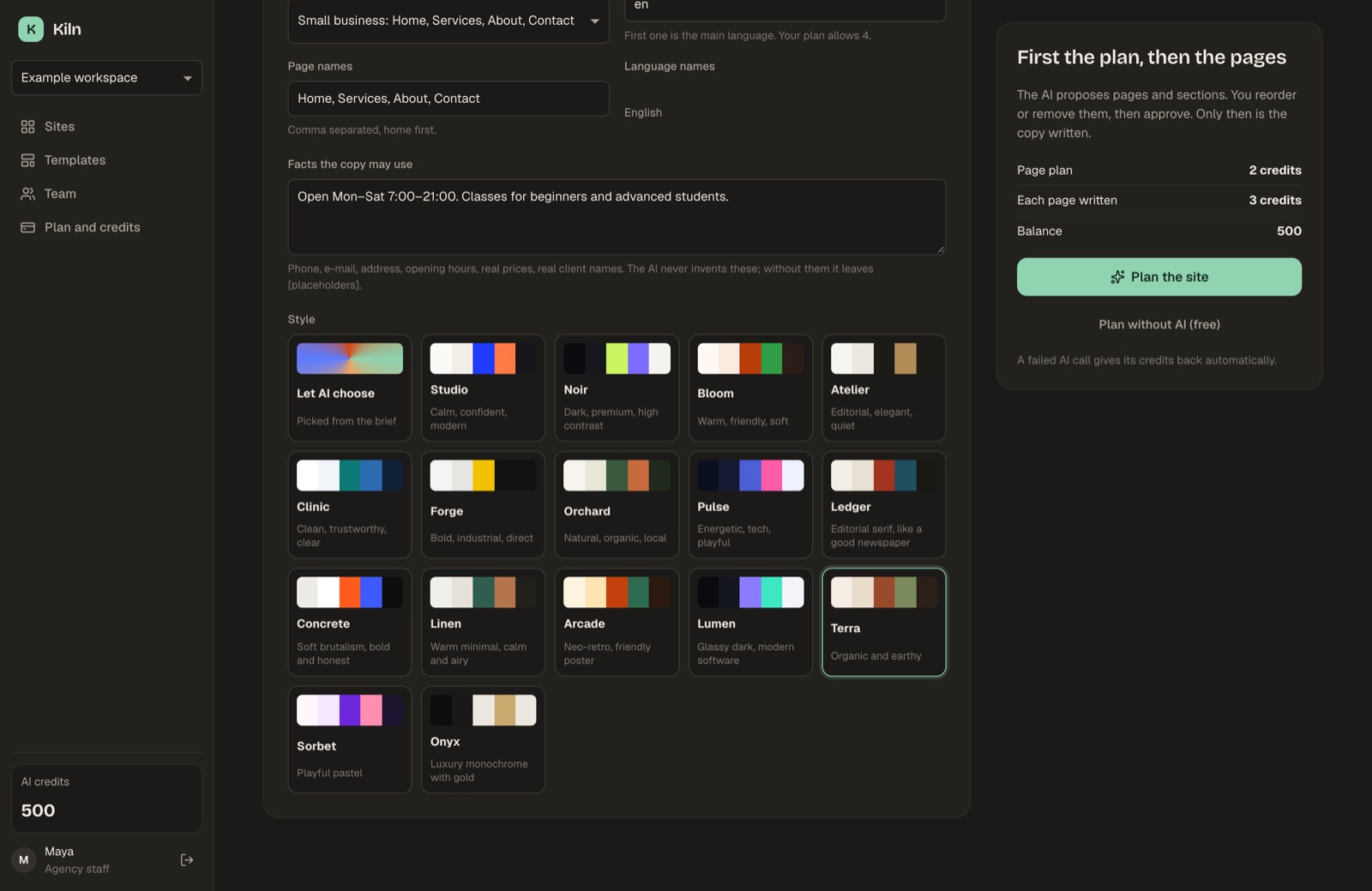
- Brief. Business name, what it does and for whom, audience, tone, pages, languages, and facts the copy may use (phone, address, opening hours, real prices, real client names).
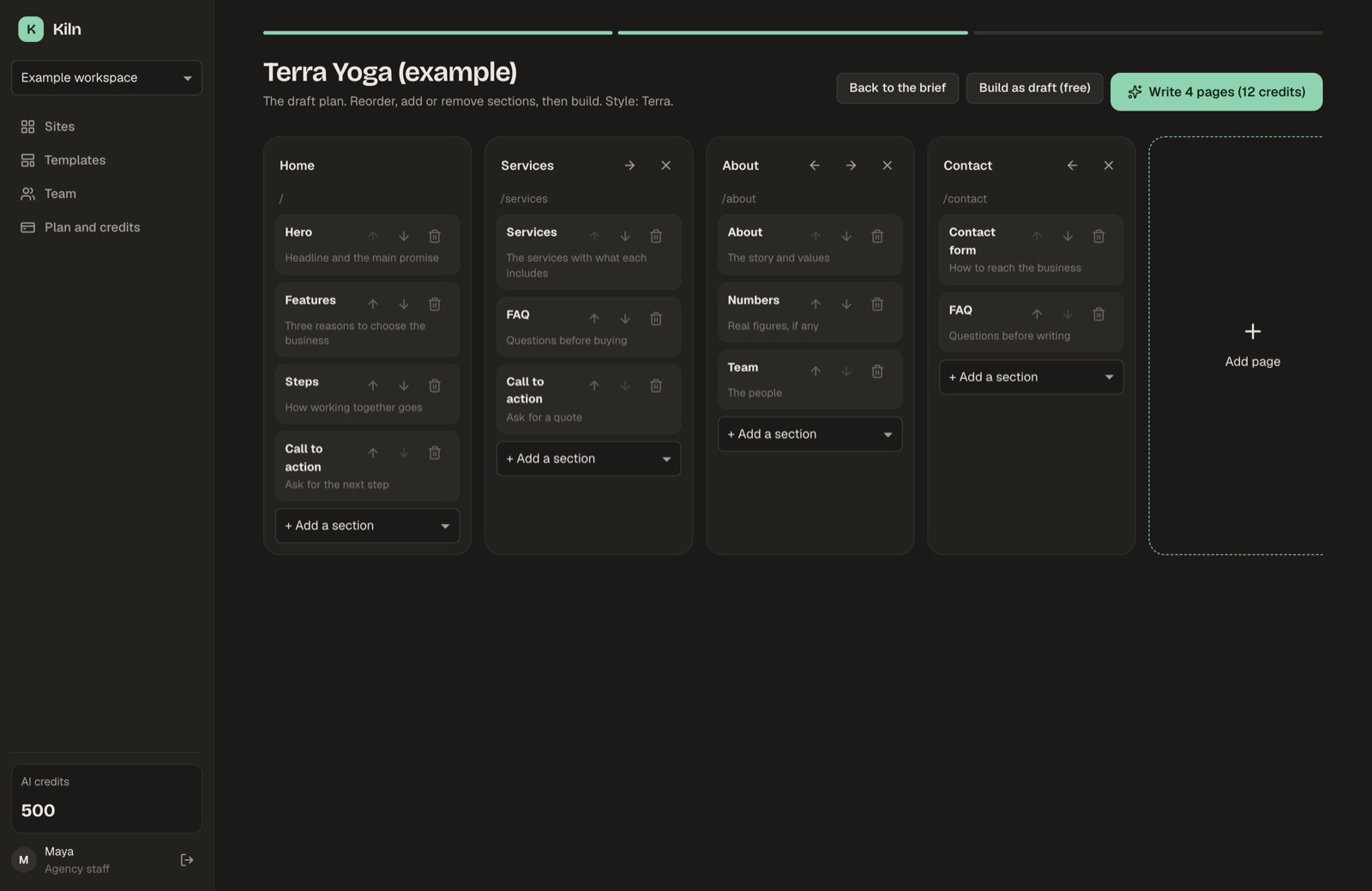
- Plan. The AI returns the sitemap (pages, each with an ordered list of sections and the purpose of each) and a style (one of the sixteen style presets). This costs the plan credits once. The user can rename, reorder, add and remove pages and sections before building. If the AI proposes more pages than the plan allows, the extra pages are dropped.
- Pages. Each page is written in a separate AI call, in the site's main language, and the progress shows page by page. A page that fails is kept as a draft and its credits are refunded; the other pages continue.
- Images. Empty image slots are filled from the configured image source (below).
Every answer from the model is checked against the section schemas. Unknown section types and unknown fields are dropped, never rendered.
The editor offers more AI actions on an existing site:
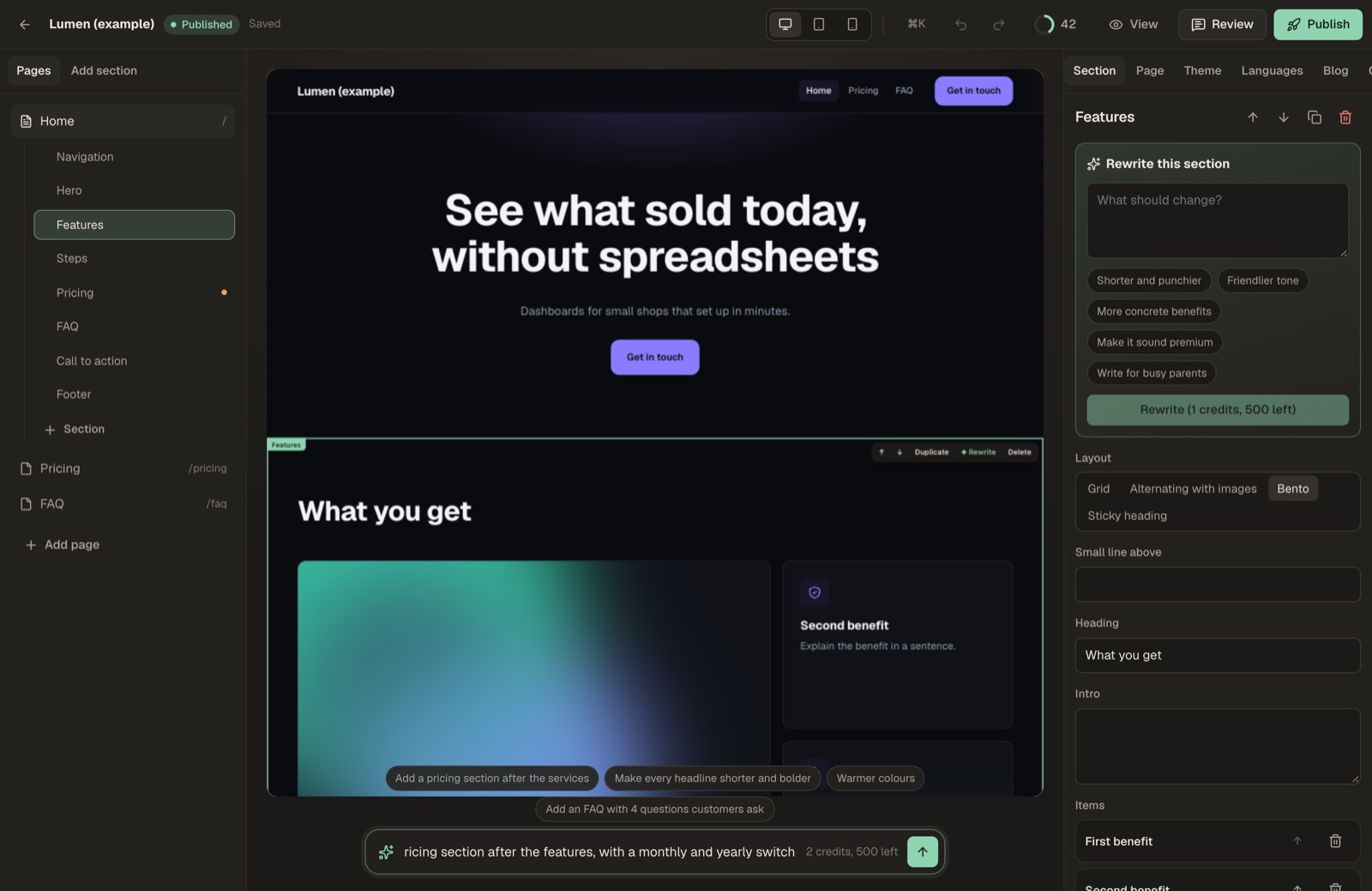
- Rewrite one section from an instruction ("shorter and friendlier"). Only that section changes, and Undo brings the old text back.
- Translate every page into an added language, one AI call per page.
- Change the page from a chat request ("Add an FAQ with 4 questions", "Warmer colours"). The AI returns at most 20 changes to the open page: rewrite or re-lay out sections, add or remove sections (never a second navigation or footer), and change theme colours. The answer is checked against the section schemas like any other and applied as one undo step.
- Draft a blog post on a topic, 600 to 900 words in the site's main language. It is saved unpublished and costs the page price.
Every person can start at most 30 AI actions per minute ("Too many AI requests in a minute. Wait a moment and try again."), on top of the credit balance. Translating a site counts one action per page.
04Credits
Every AI action costs the workspace credits. You set the prices under Credits in the console:
| Action | Setting | Default |
|---|---|---|
| Plan a site (sitemap + style) | credits.plan | 2 |
| Write one page, or draft one blog post | credits.page | 3 |
| Rewrite one section | credits.section | 1 |
| Translate one page | credits.translate | 2 |
| One AI chat request on a page | credits.chat | 2 |
| Generate one AI image | credits.image | 4 |
0makes an action free.- The credits are taken before the call. If the AI call fails, they are refunded automatically, with a ledger row "Refund: … failed". Nobody pays for a provider error.
- A workspace without enough credits gets "Not enough credits: this needs N, the workspace has M." During page generation this stops the remaining pages, which stay drafts.
- Workspaces get credits from: the sign-up grant (Access → Credits a new self-serve workspace gets), the monthly credits of a paid plan, credit packs (see Billing), and manual adjustments on the console's Workspaces page.
Credits are Kiln's internal currency for your clients. They are not tied to what the provider charges you: set the prices so they cover your provider costs.
05Workspaces with their own AI key
If AI → Workspaces may bring their own AI key is on, a workspace owner can store their own key for the provider you selected. That workspace's text AI calls then use their key, are billed to them, and spend no credits. AI images still use your OpenAI key and still cost credits.
06Images
AI → Images for generated sites decides how empty images are filled when a site is generated:
| Option | Needs | Notes |
|---|---|---|
| Abstract artwork in the site's colours (default) | nothing | Free. Generated by Kiln's own code. |
| Pexels photos | Pexels API key (free, pexels.com/api) | Up to 16 images per generated site, searched by the image description the AI wrote. The photographer is credited in the media library. |
| AI images (OpenAI) | OpenAI API key | Up to 6 images per generated site, 1536×1024, model from AI → Image model (default gpt-image-1). Each costs credits.image and is paid by your OpenAI account. |
Independent of this setting, users can open any image field's picker and upload (PNG, JPEG, WebP or GIF, up to 8 MB), search stock photos (needs the Pexels key) or generate with AI (needs the OpenAI key, costs credits). Every image is stored on your server, so exports and Cloudflare deploys carry it.
Abstract artwork is free. Pexels is free with your own key and has request limits. AI images are billed per image by OpenAI to your account. See Costs.
07The copy rules
The AI is instructed never to invent facts: no testimonials, client names, people, prices, statistics, years, awards, certifications, addresses, phone numbers or e-mails that are not in the brief's facts. Where a section needs such a fact, it writes a placeholder in square brackets, such as [Add a real client quote] or [price].
Sections that should only hold real facts (client names, services, numbers, testimonials, pricing, team) say "Real facts only" in the inspector and carry the tag "Needs your real data" in the section library. The Numbers section starts empty and is never filled with invented figures.
Unreplaced placeholders are flagged as errors in the editor's Checks tab, marked with a dot in the section list, and counted in the publish dialog. Kiln does not block publishing, so check before you publish.
08Drafts without AI
When no AI key is set (or the user clicks Build as draft (free)), Kiln's draft engine builds the pages and sections from the brief and the page presets. The user's own text goes where it fits; the rest is marked with placeholders to fill. Drafts cost no credits and need no provider. This is also how the public demo works.
09Logs and usage
Every AI call is logged with the model, tokens, duration and result. The console's AI usage page shows the latest calls and per-model totals for the last 30 days. Compare them with your provider's billing page.